 English
 Deutsch
 Español
 Français
 Italiano
 Português
 Русский
 العربية
 हिन्दी
 日本語
日本語 简体中文
简体中文

 Android
 iOS
iOS Mac
Mac Windows


How secure is file wiping? An analysis of file recovery chances based on wiping methods and the number of overwrites
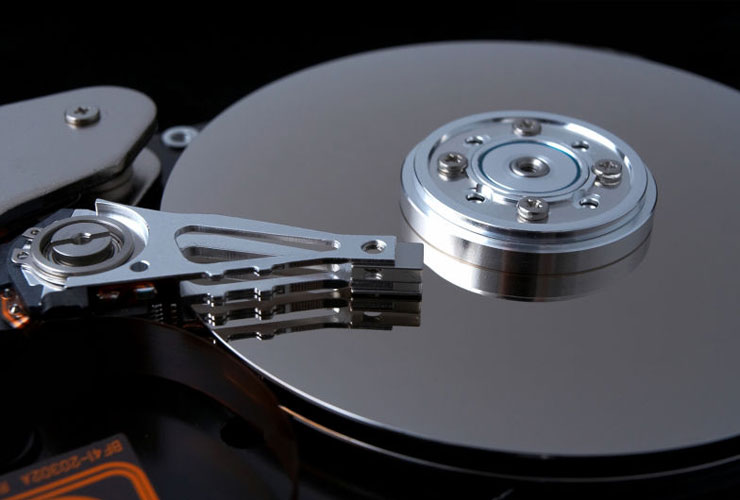
Secure file deletion—often referred to as “file wiping”—is essential for protecting data from unauthorized access. The ultimate goal is to ensure that deleted information cannot be recovered, even by specialized forensic techniques. However, factors such as wiping methods, storage media, overwrite patterns, and the number of overwrites significantly influence the effectiveness of data sanitization.
1. Overview of Deletion Methods
1.1 Simple Deletion
- Description: The file is marked as “deleted” by the operating system, but the actual data remains physically intact on the storage device.
- Risk: Basic data recovery tools can quickly restore these “deleted” files. Consequently, simple deletion provides virtually no protection.
1.2 Single Overwrite
- Description: Data is overwritten once with a specific pattern (e.g., zeros or ones).
- Assessment: Considerably more secure than simple deletion, but a small risk remains that traces of the original data could be recovered using advanced forensic techniques.
1.3 Multiple Overwrites
- Description: The data is overwritten multiple times (e.g., 3, 5, 7, 9 times) using different patterns.
- Assessment: Each additional overwrite with a varied pattern reduces the likelihood of successfully recovering any remnants of the original data.
1.4 Physical Destruction
- Description: The storage media (e.g., hard drive, SSD, USB stick) is physically destroyed through shredding, melting, or burning.
- Assessment: This is the most extreme but also the most secure approach, typically reserved for highly sensitive data where no risk of recovery is permissible.
2. Data Recovery Odds in Detail
Numerous factors impact the chances of successfully recovering wiped data:
- Number of Overwrites: Multiple overwrites with varied patterns make recovery exceedingly difficult or impossible.
- Wiping Method: Physical destruction offers the greatest assurance against recovery.
- Type of Storage Device:
- HDD (Hard Disk Drive): Traditional overwriting typically works well, although specialized labs may still extract residual magnetic traces if the drive was overwritten only a few times.
- SSD (Solid-State Drive): Features like wear-leveling and TRIM can complicate secure overwriting, making dedicated SSD-wiping techniques or firmware-based Secure Erase commands advisable.
- Age and Condition of the Media: Older or damaged drives can exhibit unique data remnants that may affect recovery—either hindering or facilitating it.
- Expertise and Equipment: Professional forensic labs use cutting-edge techniques. However, each additional overwrite dramatically reduces the likelihood of a successful recovery.
2.1 Estimated Recovery Probabilities
If a storage device has not been physically destroyed, the approximate chances of recovering data from a hard disk (HDD) that has been securely wiped with modern tools might be:
- 1 overwrite: < 1%
- 3 overwrites: < 0.1%
- 4 overwrites: < 0.01%
- 5 overwrites: < 0.0001%
- 8 overwrites: < 0.00000001%
Note: These figures are general estimates and can vary depending on factors such as device type, age, and the sophistication of forensic methods used.
3. Common Wiping and Overwriting Algorithms
3.1 Gutmann Method
- Description: Developed by Peter Gutmann (1996). Overwrites data up to 35 times with different patterns.
- Advantages: Considered extremely thorough.
- Drawbacks: Often excessive for most modern drives and quite time-consuming.
3.2 DoD 5220.22-M
- Description: A U.S. Department of Defense standard specifying three overwrites with different patterns.
- Advantages: Widely adopted, proven secure, and commonly used by government agencies.
- Suitability: Ideal for environments requiring high security.
3.3 Random-Data Method
- Description: Overwrites data multiple times with random patterns.
- Advantages: More challenging for forensic analysis due to the unpredictability of the patterns.
- Variations: The number of random overwrites can be increased as necessary.
3.4 Write-Zeroes Method
- Description: Overwrites the drive (possibly multiple times) with zeroes.
- Advantages: Fast and straightforward.
- Drawbacks: Not as secure as multiple passes with varied patterns (e.g., DoD or random).
4. International Standards and Norms
4.1 NIST SP 800-88 (US)
- Guidelines from the National Institute of Standards and Technology (NIST) on media sanitization (Media Sanitization).
- Offers recommendations on the selection and application of data destruction techniques.
4.2 HMG Infosec Standard 5 (UK)
- Guidance from the UK government on securely destroying digital media.
- Specifies wiping and destruction methods for use in government agencies.
By adhering to these standards, organizations ensure they are employing recognized best practices for protecting sensitive data.
5. Combining Encryption and Wiping
An additional layer of security comes from combining encryption with data wiping:
- Encryption: Encrypting data during active use makes it more difficult to recover meaningful content.
- Wiping: Overwriting or physically destroying the storage medium after encryption closes any potential loopholes.
- Encryption Choice: Strong algorithms (e.g., AES-256) make it extremely difficult for any entity to decipher recovered data remnants.
6. SSDs and Special Challenges
Solid-State Drives (SSDs) require particular attention:
- Wear-Leveling: SSDs distribute write operations to extend the lifespan of individual cells, which may not overwrite the same physical location each time.
- TRIM Command: Automatically clears unused blocks, but may not always withstand forensic techniques entirely.
- Recommendation: Use firmware-based Secure Erase or SSD-optimized tools (e.g., iShredder) to ensure each cell is correctly and thoroughly sanitized.
7. How Many Overwrites Are Really Necessary?
There is no universal number of overwrites guaranteed to render data completely irretrievable. Nonetheless:
- Each extra overwrite (especially with different patterns) drastically reduces the chance of forensic recovery.
- For high-security environments (e.g., government or defense), multi-step wiping processes are commonly used, often combined with physical destruction.
- 9 to 50 overwrites are more than sufficient in most scenarios, but even 3–5 overwrites can achieve a high degree of security.
8. Conclusion and Recommendation
- File wiping is a core component of data security.
- Multiple overwrites using well-established algorithms and physical destruction offer the highest protection against data reconstruction.
- Standards such as NIST SP 800-88 and DoD 5220.22-M provide clear guidelines on secure data sanitization.
- SSDs require specialized wiping methods that account for wear-leveling and other hardware-specific features.
- Combining encryption with overwriting is often the safest approach.
For those seeking a user-friendly yet highly professional solution, Protectstar’s iShredder provides a software tool that implements trusted, certified, modern overwriting algorithms (such as DoD, Gutmann, and NIST methods). This ensures that data cannot be recovered by third parties.
Further Information
- Securely erase data with iShredder: https://www.protectstar.com/en/products/ishredder
- Advanced Secure Deletion Algorithm: https://www.protectstar.com/en/secure-erase
By employing these tools and methods, you can ensure that sensitive data—whether personal files or mission-critical business information—remains beyond the reach of unauthorized access.
 Go back