English
 Deutsch
 Español
 Français
 Italiano
 Português
 Русский
 العربية
 हिन्दी
 日本語
日本語 简体中文
简体中文

 Android
 iOS
iOS Mac
Mac Windows


Thank you for
downloading Firewall AI
One last step...
Enter your email address to receive your download link and
installation instruction by email.
Your smartphone is talking.
You decide where it connects.
The no-root firewall for Android: see outgoing connections per app and block trackers and suspicious destinations — locally on your device, without an external VPN server.
Why now
Even the Play Store reduces risk — but it is not foolproof.
Researchers at Zscaler ThreatLabz documented hundreds of malicious apps in the official Google Play Store between June 2024 and May 2025, with more than 42 million combined downloads — cleaners, document viewers, and harmless-looking tools that temporarily slipped through or loaded code after installation. Google Play Protect catches a lot, but not everything. Firewall AI adds a layer underneath: local, on your device.
A firewall does not replace store protection — it complements it. It is the layer under the store that looks at where apps actually connect — and can stop them before data leaves your device.
How it works
Four layers. Local on your device.
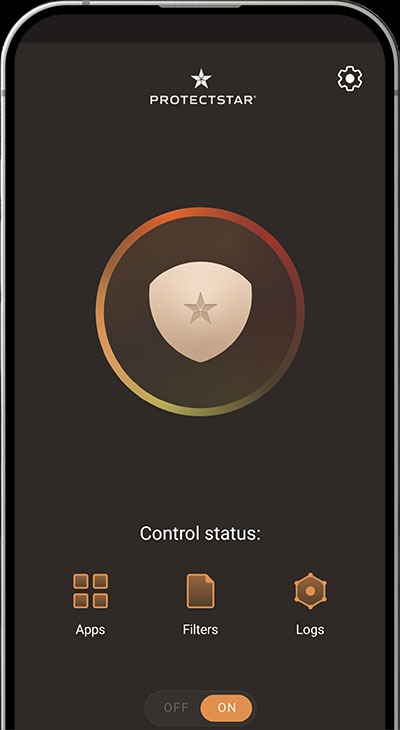
Firewall AI checks every data packet that attempts to leave your smartphone — fully local, without cloud processing, without root.
Local VPN interface
All traffic from your device runs through Firewall AI — no root required. We use the official Android VPN framework as a technical interface, not as a location-changing VPN.
Packet-level engine
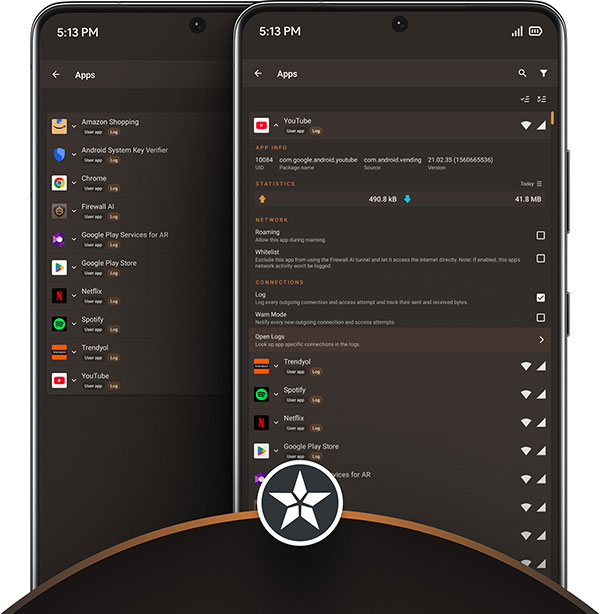
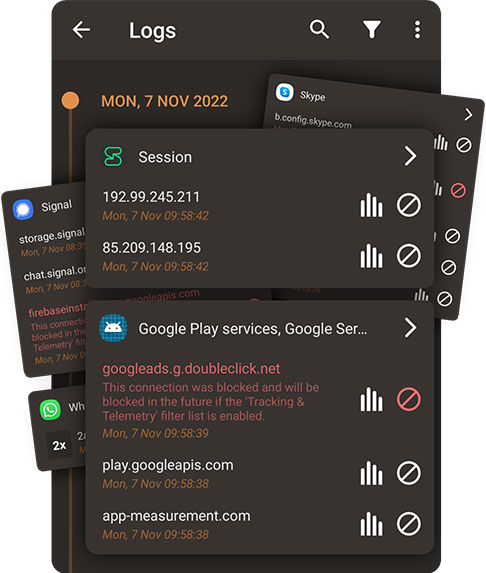
Every outgoing packet is checked live. You see the app name, domain, IP, country, and timestamp — precisely and immediately.
AI & Deep Detective™
Compares destinations and patterns against more than 130 million signatures. Fully on-device — your logs never leave your smartphone. The same engine used in our AV-TEST- and DEKRA-certified apps.
IPS & Threat Intelligence
10M+ tracker, malware, and APT domains. Updated daily (PRO). Known espionage endpoints are blocked before they can cause harm.
Honestly
What Firewall AI does — and what it does not do.
We would rather promise less and deliver more than the other way around.
- Make outgoing connections visible
- Let you decide, app by app, what is allowed out
- Block known trackers, malware hosts, and espionage endpoints
- Detect suspicious patterns with local AI
- Keep connection logs & rules on your device
- PRO activation is optional through MY.PROTECTSTAR — the app also works without an account
- Not a location-changing VPN — Android VPN is only the technical interface
- Does not block incoming network attacks (that is your router’s job)
- No file scans — use Antivirus AI for that
- No ads. No advertising. Ever.
- No tracking, no analytics, no telemetry SDK
- No 100% guarantee — no security product can honestly promise that
What makes us different
Others give you a switch. We give you visibility.
Traditional firewalls allow or block. Firewall AI sees every connection, detects suspicious patterns, and stops risky traffic before data leaves your device. With the same AI that powers certified and award-winning Antivirus AI and Anti Spy.
| Traditional firewall | Firewall AI | |
|---|---|---|
| Per-app blocking (Wi-Fi / cellular) | ✓ | ✓ |
| Live connection log | ✓ | ✓ |
| Ready-made filter lists for trackers & malware | — | 10M+ |
| AI detection of suspicious patterns | — | Deep Detective™ |
| IPS against APT and stalkerware endpoints | — | ✓ |
| Stalkerware heuristics & early ransomware indicators | — | PRO |
Simplified comparison. The term “traditional firewalls” refers to pure per-app blockers without a threat intelligence layer.
AI engine · Adaptive analysis
It filters. Even while you sleep.
While your smartphone sits idle on the table, the AI engine checks every single connection — trackers, telemetry endpoints, suspicious IPs. Packets that do not match legitimate app patterns are stopped before data leaves. No cloud, no telemetry, no action required from you.
Voices from the Play Store
What users say — when it matters.
Video presentation
60 seconds. Three steps. The proof.
How Firewall AI secures your Android data stream in real time — without root and without a long setup.
Choose your protection
No subscription. No tricks.
Start for free — no credit card, no expiration date. Choose PRO when you are ready.
- Control internet access per app — Wi-Fi, cellular, and roaming separately
- Take an app completely offline
- Live connection log
- App tags & Quick Tile
- Standard AI engine
- Standard IPS & filter lists
- DNS privacy
- All FREE features included
- Advanced filter lists
- IPS PRO
- Stalkerware heuristics
- Early ransomware indicators
- Priority updates
- Advanced logs
Better with every update.
Tracker lists, the AI model, and APT endpoints are refined regularly — automatically and at no extra cost.
Two certifications, one AI.
The same engine that earned AV-TEST certification for Antivirus AI and DEKRA certification for Anti Spy.
Privacy by design.
No ad IDs. No external analytics SDK. Everything stays local.
The Protectstar stack
Three apps. One protection system.
Anti Spy finds what is already on your device. Antivirus AI keeps new threats out. Firewall AI filters what your apps send to the outside world — all from the same developer, with the same engine.

Anti Spy
Finds spyware and stalkerware with a dual engine and dual certification — including threats others miss.
Learn more →
Antivirus AI
Real-time AI protection against malware and ransomware. AV-TEST-certified — 99.8% detection.
Learn more →Firewall AI
Sees every outgoing connection. Blocks what you do not want — by app, domain, or country.
Not sure which app is right for you? Open app comparison →
Frequently asked questions
Short answers.
Connection logs, rules, and AI matching happen exclusively on your smartphone. There is no external analytics SDK, no cloud sync, and no account requirement. What your apps tried to send stays between you and your firewall.
What we may process: License, support, or security-relevant technical data may be processed where required for activation, updates, or support. Your connection logs and rules stay local.
One exception is triggered by you: If you use the WhoIs feature in Firewall AI, we query the destination IP of the connection against a WhoIs service — based on your action, for that one IP only. IP addresses are not stored permanently; technical processing usually takes seconds and is then deleted.
If technical signals ever do need to be processed, they are encrypted (HTTPS / AES-256) and handled through ISO 27001-certified data centers in Germany. You can find more details on the Your Privacy page and in the Disclosure for Apps.
A system app that Google has installed on Pixel, Samsung, Xiaomi, and other Android devices since early 2025 without active consent. It has no icon in the regular app menu and can only be found through Settings → Apps → Show system apps. It performs local image scans, for example for nude image detection. Google says processing stays on-device. Many users still criticize the silent installation and lack of transparency.
In Firewall AI, you can see SafetyCore like any other app, monitor its connections live in the log, and fully block its internet access if needed. We do not decide for you what is “okay” — we give you control.
More background in our blog article about SafetyCore.
Clear visibility. Full control.
In three steps.
Install it, set your rules, stay protected. No root, no account, no technical jargon.
APK directly from Protectstar — signed by Protectstar Inc. and usable without the Play Store if needed.