 English
 Deutsch
 Español
 Français
 Italiano
 Português
 Русский
 العربية
 हिन्दी
 日本語
日本語 简体中文
简体中文

 Android
 iOS
iOS Mac
Mac Windows


How to Disable Hidden Facebook Bloatware on Your Android Smartphone: Protect Your Privacy and Optimize Performance
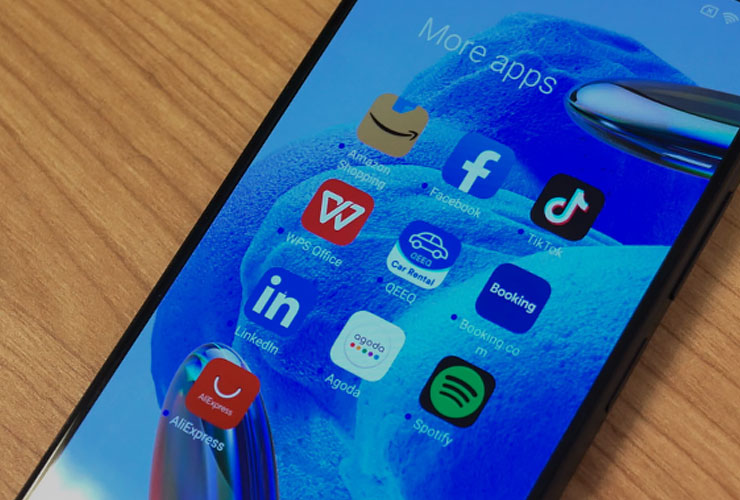
Bloatware refers to unwanted preinstalled apps that smartphone manufacturers, carriers, or software providers often include on devices. These apps are frequently difficult to uninstall, take up valuable storage space and system resources, and can sometimes pose security risks. Particularly concerning are hidden Facebook apps like “Meta App Installer,” “Meta App Manager,” and “Meta Services,” which run on many Android smartphones without users even knowing. Below, you’ll learn what these hidden Facebook services do, why they’re considered bloatware, and how you can block or disable them to improve both your privacy and your device’s performance.
1. What Is Bloatware?
Bloatware is a catch-all term for software with unnecessary features or excessive resource usage that provide little to no benefit to users. It typically appears as:
Preinstalled Apps
- Manufacturers, carriers, or third parties (e.g., Facebook, Netflix, Spotify) preload apps to generate revenue or foster partnerships.
- These apps are often deeply integrated into the system, difficult to remove, and occupy valuable storage.
Additional Software Bundles
- Sometimes, installing a piece of software automatically installs extra programs like toolbars or antivirus solutions in the background.
- Users who don’t pay close attention might inadvertently agree to these unwanted additions.
Overloaded Software
- Some programs include features that most users simply don’t need.
- These can slow down the system or consume excessive memory.
In a nutshell, bloatware is undesirable because it reduces system performance and can come with questionable data-collection practices.
2. Why Are Hidden Facebook Services Problematic?
Many Android devices include not just Google services but also other, often hidden apps from Meta (Facebook, Instagram, WhatsApp). Examples include:
- Meta App Installer
- Meta App Manager
- Meta Services
These apps usually operate behind the scenes and can:
- Regularly connect to Facebook’s servers – even if you haven’t installed any Facebook apps knowingly.
- Consume system resources (CPU, battery, data) – with no direct benefit to you.
- Use special privileges that typical Play Store apps might not have access to.
From a privacy standpoint, it’s especially concerning that these services could theoretically collect data or install new programs at any time—bypassing the security measures of the Google Play Store. While Facebook claims these capabilities are not misused, having them preinstalled and hidden is concerning for many users.
3. How to Identify Hidden Facebook Apps on Your Smartphone
Depending on the manufacturer and Android version, these services may go by different names. They don’t typically show up in the standard app drawer. To find them, go to:
- Settings
- Apps (sometimes “Applications” or “Apps & Notifications”)
- Show all apps or Show system apps
Look for any references to “Facebook,” “Meta App Installer,” “Meta App Manager,” or “Meta Services.” On Samsung devices, you may find a sorting or filtering option in the three-dot menu in the top right corner.
4. How to Block or Disable These Hidden Apps
4.1 Disable via System Settings
- Open your device’s Settings.
- Select “Apps.” Then choose the option to display all or system apps.
- Tap the relevant Facebook-related app (e.g., “Meta Services”).
- Disable the app and revoke its permissions:
- Under “Permissions,” remove any privileges the app requested (e.g., storage, location).
- Use the “Disable” button (if available) to stop the app and remove it from your app list.
Note: Some smartphones don’t allow you to fully uninstall preinstalled apps. However, disabling them prevents them from receiving updates and running in the background.
4.2 Restrict Network Access with a Firewall
Even if you can’t fully disable an app, you can block its internet access with a firewall app (such as Firewall AI). This is especially helpful if you want to stop certain services from communicating entirely:
- Firewall AI logs and blocks connections that Meta apps initiate.
- You can decide which apps have internet access and which do not.
4.3 Advanced Methods (For Experienced Users)
- ADB Commands (Android Debug Bridge): With ADB, you can disable or remove system apps on some devices if you can’t do so in the normal settings interface. This requires a certain level of technical know-how.
- Root Access or Custom ROM: Gaining root privileges or installing a custom ROM (e.g., LineageOS) allows you to remove bloatware more thoroughly. However, doing so often voids your warranty.
5. What to Keep in Mind
- Check Again After System Updates: Some manufacturers reactivate or reinstall hidden apps during updates. Always review your disabled apps after a system update.
- Regularly Revisit Permissions: Even disabled apps may regain permissions after certain updates.
- Performance Benefits: Disabling bloatware can save battery life and data usage by reducing background processes.
- Privacy Considerations: Preinstalled apps often have system-level privileges not available to regular apps, increasing potential privacy risks.
6. Long-Term Solutions and What You Can Do
- Give Feedback to Your Manufacturer: Let your phone’s maker know that you don’t want preinstalled bloatware. The more users complain, the more likely manufacturers will address the issue.
- Choose Wisely When Buying: Research before purchasing a new smartphone. Some manufacturers, like Google (Pixel series) or those offering Android One devices, stick closer to a pure Android experience without many extra apps.
- Potential Consequences for Vendors: If Facebook pays for preinstallation but users consistently block or disable those apps, the arrangement may become less profitable for both Facebook and phone manufacturers over time. This might lead to fewer bloatware deals in the future.
7. Summary
Bloatware can be annoying and pose both privacy and security risks—especially when it comes to hidden Facebook apps operating in the background. By following a few simple steps, you can greatly reduce these risks:
- Identify these apps in your device’s system settings.
- Disable them and revoke all permissions.
- Consider using a firewall to block any remaining data connections.
- Check after system updates to ensure they’re still disabled.
- Speak Out to manufacturers and consider brands with fewer preinstalled apps.
By doing this, you’ll make your device leaner, more secure, and more privacy-friendly. At the same time, you’ll send a strong message to manufacturers and software providers that you want full control over the software on your smartphone.
 Go back