 English
 Deutsch
 Español
 Français
 Italiano
 Português
 Русский
 العربية
 हिन्दी
 日本語
日本語 简体中文
简体中文

 Android
 iOS
iOS Mac
Mac Windows


Android Spy Apps 2025: The Invisible Threat and How Antivirus AI & Anti Spy Really Protect You
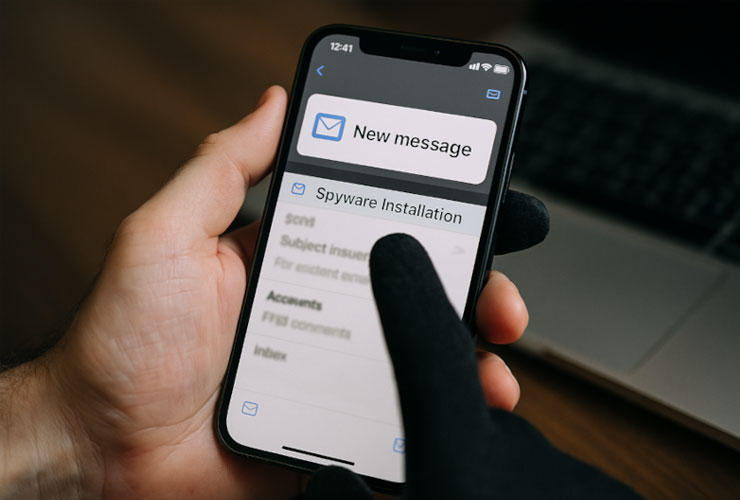
Spy apps (often called stalkerware) typically log calls, messages, locations, keystrokes, and screen content, or activate the microphone/camera—often without the person’s knowledge. They’re marketed as “parental control” or “employee monitoring,” but in reality they’re abused in relationships, businesses, and by criminal actors. The Coalition Against Stalkerware vividly documents how these tools enable tech‑facilitated abuse.
In 2025 the picture has worsened: Kaspersky recorded 29% more attacks against Android users in the first half of 2025 compared to H1 2024, with particularly active Trojan families and new campaigns. In Q1 2025 alone, roughly 12 million mobile attacks were blocked and about 180,000 new Android malware packages appeared. These numbers make it clear that mobile security isn’t a “nice‑to‑have.”
In parallel, we continue to see targeted espionage at the highest level: in 2025 Amnesty International documented attempts to attack Serbian journalists with Pegasus—evidence that state‑level operations remain active. Such campaigns often rely on zero‑click exploits that require no user interaction, and they’re not to be confused with run‑of‑the‑mill stalkerware.
How Spy Apps Get Onto Your Device: Realistic Infection Paths
Sideloading & social engineering. Installations via unofficial APK downloads are widespread, pushed through phishing emails, messenger links, or fake websites. Recent ESET findings, “ProSpy” and “ToSpy,” posed as Signal and ToTok respectively, luring users via convincingly spoofed sites.
Malicious apps despite app‑store controls. The Play Store isn’t a perfect filter: in 2025, 77 malicious apps with over 19 million installs were removed. Part of that wave was Anatsa/TeaBot, a banking Trojan that used overlays to steal logins. For you, that means: check reviews, scrutinize permissions, keep Play Protect enabled, and add a specialized security solution.
“Parental control” as a cover. A 2025 study from UCL and partners shows sideloaded parental‑control apps often request excessive permissions, hide their presence, and violate privacy principles; 8 of 20 analyzed sideloaded apps exhibited stalkerware indicators.
Leak risk for perpetrators and victims. In early/mid‑2025, Spyzie, Cocospy, and Spyic were compromised, with data leaks affecting millions (including victim data). Some services went offline afterward. The takeaway: if you use stalkerware, you endanger not only others but also your own data.
Signs to Watch For and Immediate Actions (for Beginners)
Common indicators that—taken together—may point to spyware:
- Unusually high battery or data usage; the device runs noticeably hot (constant background activity).
- Unexpected permissions in apps that shouldn’t need them (e.g., Accessibility or Draw over other apps—a classic enabler for phishing overlays).
- New profile/device administrators (formerly Device Administrator apps) or VPN profiles you didn’t set up.
What you should do right away (5 steps):
- Check Play Protect & enable “Improve harmful app detection.” Open Play Store → Profile → Play Protect → ⚙️ → turn on “Scan apps” and “Improve harmful app detection.” Play Protect can also disable or remove harmful apps.
- Install Protectstar Anti Spy and run a full scan. If spyware is found, you’ll get clear removal guidance. (Certification details below.)
- Add Protectstar Antivirus AI and turn on real‑time protection. That covers not only spyware but also malware, banking Trojans, ransomware, and more.
- Trim permissions: Android Settings → Apps → Special app access → Draw over other apps, Accessibility, All files access—disable anything you don’t need.
- Keep everything up to date (OS/Play Services), enable 2FA everywhere, and rotate passwords on any accounts that might be compromised.
Important: Against state‑level zero‑click attacks (e.g., Pegasus), you also need current system patching, restrictive communication habits, and—if necessary—a device replacement. No reputable vendor promises “magic” 100% detection here. Amnesty’s 2025 cases show these attacks are still real.
The 2025 Threat Landscape at a Glance (with Examples)
Scaled mass campaigns: Anatsa/TeaBot abuses overlays, can harvest screenshots/clicks, and in 2025 targeted 800+ finance/crypto apps; 77 malicious Play‑Store apps used tactics like fake updates to deliver payloads.
Convincing “messengers”: ProSpy/ToSpy disguised themselves as Signal or ToTok, distributed via deceptive websites and social engineering.
Targeted surveillance: The attacks on journalists in Serbia (February/March 2025) underscore that zero‑click chains remain in use.
It’s good that Google pushes back: Play Protect scans apps before and after installation, can automatically remove harmful apps, and—when you sideload—asks to upload unknown APKs for analysis; turn this on. In 2023, Google also added real‑time code scanning for new apps. Even so, Google itself emphasizes: additional protection layers are wise.
Why Protectstar?—Your Advantages with Antivirus AI & Anti Spy
Antivirus AI is our all‑around protection layer for Android and was certified by AV‑TEST for the third year in a row in 2025. Our February test note cites a 99.8% detection rate with “zero false alarms.” Regardless, the AV‑TEST certificate itself shows Antivirus AI meets the lab’s stringent criteria across protection, usability, and performance. Add to that awards like the BIG Innovation Award 2025 and the AI Excellence Award.
Technically, Antivirus AI relies not only on signatures but on a dual‑engine approach with self‑learning AI. In practice, that means we reliably detect classic families (bankers, stalkerware, ransomware), while heuristics and behavior analytics look for IoCs such as overlay abuse, suspicious accessibility services, or abnormal network patterns—before damage occurs.
Anti Spy is the specialized complement focused on spyware/stalkerware. In addition to AV‑TEST certification, it has passed ADA/DEKRA MASA‑L1 validation. That assessment follows OWASP‑aligned criteria and confirms, among other things, solid cryptography, no sensitive log writes, and privacy‑respecting data handling—the qualities you should expect from anti‑spyware. Antivirus AI also carries the MASA‑L1 validation.
One point many people care about: your privacy. Our apps ship without tracker SDKs and follow strict data minimization—spelled out in our own privacy documentation. In other words: security without data hunger.
How to Use the Protectstar Tools Effectively
Start with Anti Spy: after installation, run a full scan. If the app finds suspicious profiles, excessive permissions, or known stalkerware remnants, you’ll get clear, safe removal steps.
Next, enable real‑time protection in Antivirus AI. The product monitors new installs and updates, inspects .apk packages, watches for overlay/accessibility patterns, and compares behavior against AI models. If an app turns malicious later, heuristics flag the anomalies—even if the app‑store listing still looks clean.
It’s also worth checking Special app access in Android: disable Draw over other apps for apps that don’t truly need it, and remove unnecessary Accessibility services. If you’re not intentionally using an MDM/VPN, remove those profiles. Keep the OS and Google components current. These hygiene steps take minutes but dramatically reduce your attack surface.
Technical Deep Dive for Pros
- Behavior over signatures alone. Modern Android spyware obfuscates code, loads payloads (DEX) on the fly, abuses accessibility APIs for “click‑hijacking,” and draws phishing overlays. Effective detection considers permission graphs, API‑call sequences, persistent foreground services, and network destinations. Overlay and Accessibility remain high‑risk areas—documented in Android developer guidance (fraud prevention) and academic research alike.
- 2025 IoCs. ProSpy/ToSpy operated through fake websites; Anatsa/TeaBot targeted banking apps (800+ targets), sometimes masquerading as PDF/document readers. Depending on the campaign, domains, C2 patterns, or package names can serve as IoCs; Antivirus AI and Anti Spy update these indicators continuously.
- Integrate platform protections. Play Protect scans before install, performs periodic on‑device checks, and can remove threats autonomously. Since 2023 there’s real‑time code scanning for newly sideloaded apps; 2024/25 brought additional live detections. For enterprise apps, the Play Integrity API stack supersedes older SafetyNet attestation and provides more reliable integrity signals for zero‑trust architectures.
- Enterprise notes. In BYOD/COPE environments, use MDM/EMM to restrict special‑access permissions, sideloading, and accessibility; evaluate integrity signals (e.g., bootloader state, patch level, Play Integrity) in conditional access; and curate app catalogs. Antivirus AI and Anti Spy can be deployed as an additional endpoint layer.
Law & Ethics—What You Need to Know
Without explicit consent, installing surveillance apps on someone else’s device is illegal in many jurisdictions. Stalkerware is closely linked to domestic abuse; the Coalition Against Stalkerware consolidates helplines and support resources. Bottom line: never use spyware—neither privately nor in business.
In Practice: The “Clean Start” if You Suspect Compromise (Quick Playbook)
- Create backups (excluding apps/APKs from unsafe sources).
- Airplane mode → check for OS updates, ensure Play Protect is on.
- Anti Spy full scan → remove findings → enable Antivirus AI real‑time protection → run a second scan.
- Review special access (overlay, accessibility, device admin) and lock them down.
- Change passwords/2FA; pay special attention to any accounts that show signs of compromise.
For severe compromise: factory reset, clean start without sideloading, reinstall only trusted apps; in serious cases, contact support services/law enforcement (see CAS resources).
Conclusion
In 2025, the threat from Android spy apps is more real than ever—from mass‑market stalkerware kits to highly professional zero‑click chains. The good news: with Protectstar Anti Spy as the specialist and Antivirus AI as a strong all‑round shield, you get two audited, privacy‑respecting layers that proactively protect your day‑to‑day life—without fiddly tuning and backed by clear evidence (AV‑TEST certificates, ADA/DEKRA validations, current threat intelligence). Combined with Play Protect and sensible app hygiene, you’re very well prepared for the vast majority of real‑world scenarios.
References
- Kaspersky Securelist – IT threat evolution in Q1 2025 (Mobile):
https://securelist.com/malware-report-q1-2025-mobile-statistics/116676/ - Kaspersky Press Release – Attacks on smartphones increased in H1 2025:
https://www.kaspersky.com/about/press-releases/kaspersky-report-attacks-on-smartphones-increased-in-the-first-half-of-2025 - ESET WeLiveSecurity – New spyware campaigns (ProSpy/ToSpy):
https://www.welivesecurity.com/en/eset-research/new-spyware-campaigns-target-privacy-conscious-android-users-uae/ - Amnesty Security Lab – Serbia: Journalists targeted with Pegasus spyware:
https://securitylab.amnesty.org/latest/2025/03/journalists-targeted-with-pegasus-spyware/ - Zscaler ThreatLabz – Android document readers & deception (Anatsa):
https://www.zscaler.com/de/blogs/security-research/android-document-readers-and-deception-tracking-latest-updates-anatsa - BleepingComputer – Malicious Android apps with 19M installs removed from Google Play:
https://www.bleepingcomputer.com/news/security/malicious-android-apps-with-19m-installs-removed-from-google-play/ - Google Support – Use Google Play Protect:
https://support.google.com/googleplay/answer/2812853?hl=en - Android Developers – Special App Access / requesting special permissions:
https://developer.android.com/training/permissions/requesting-special - AV‑TEST – Protectstar Antivirus AI 2.1 (Jan 2025):
https://www.av-test.org/en/antivirus/mobile-devices/android/january-2025/protectstar-antivirus-ai-2.1-253112/ - AV‑TEST – Protectstar Anti Spyware 6.0 (Jan 2024):
https://www.av-test.org/en/antivirus/mobile-devices/android/january-2024/protectstar-anti-spyware-6.0-243113/ - App Defense Alliance / DEKRA MASA L1 – Report (Antivirus AI):
https://appdefensealliance.dev/reports/com.protectstar.antivirus_1744270189476159.pdf - App Defense Alliance / DEKRA MASA L1 – Report (Anti Spy):
https://appdefensealliance.dev/reports/com.protectstar.antispy.android_1744270336991532.pdf
 Go back