 English
 Deutsch
 Español
 Français
 Italiano
 Português
 Русский
 العربية
 हिन्दी
 日本語
日本語 简体中文
简体中文

 Android
 iOS
iOS Mac
Mac Windows



Thank you for
downloading Antivirus AI
One last step...
Enter your email address to receive your download link and
installation instruction by email.
Antivirus AI
Your Android. Your data. No compromises.
Your entire life fits on your Android.
Antivirus AI protects it in real time — without seeing your content.
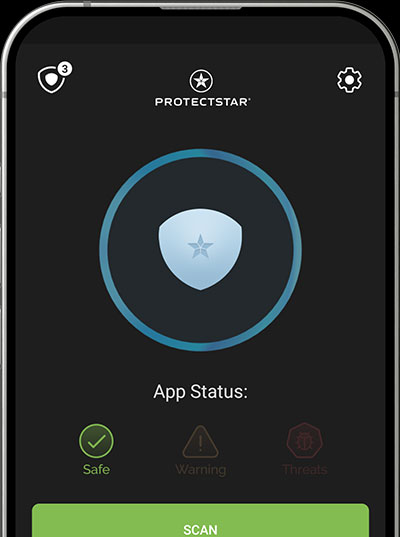
Detect. Assess. Respond.
One tap. One scan. One clear decision.
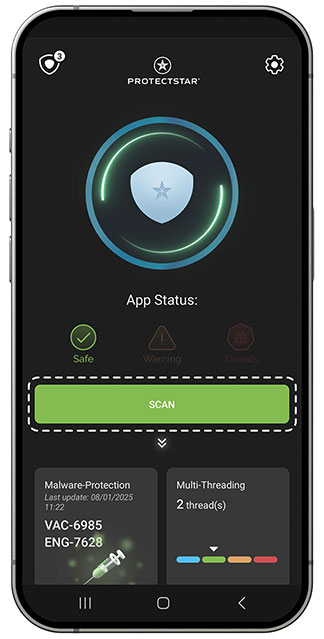
Detect
Every app. Every download. Every suspicious process.
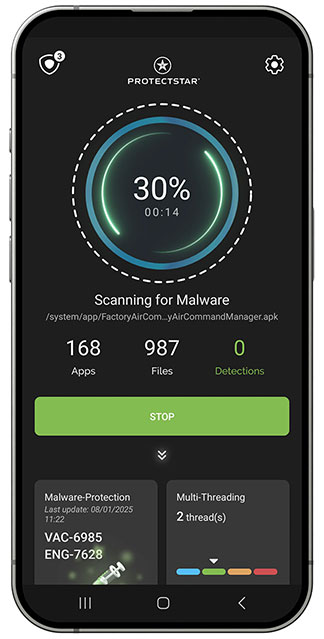
Assess
Signature and AI analysis work in parallel — local first, cloud only when needed.
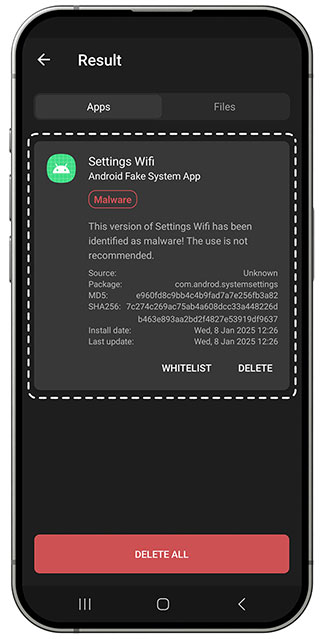
Respond
Remove or isolate. No alert overload. No guesswork.
Dual
Engine
Two AV engines in one.
Twice as secure. Twice
as powerful.
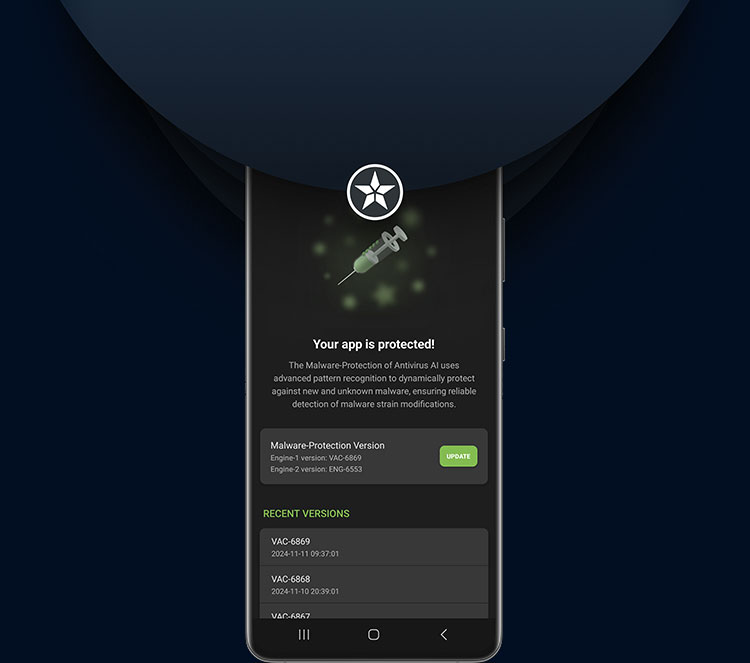
Two engines. One result: peace of mind.
One engine detects known malware. The other evaluates new and disguised risks. Together, they close the gap between what is already known — and what is only just emerging.
Detects known malware instantly — reliably, quickly, and without draining the battery.
Evaluates patterns and behavior — detecting even new and disguised risks.
It learns. While you sleep.
New malware changes faster than traditional signatures can be written. Antivirus AI doesn’t wait. Its adaptive AI engine detects suspicious patterns and behavior — before a risk becomes real damage.
AV-TEST · January 2025
AV-TEST · January 2025
Aggregated · April 2026
Doesn’t Android already do this?
Google Play Protect is baseline protection. Antivirus AI is the next layer.
Google Play Protect is useful. Antivirus AI adds specialized protection where specialization matters.
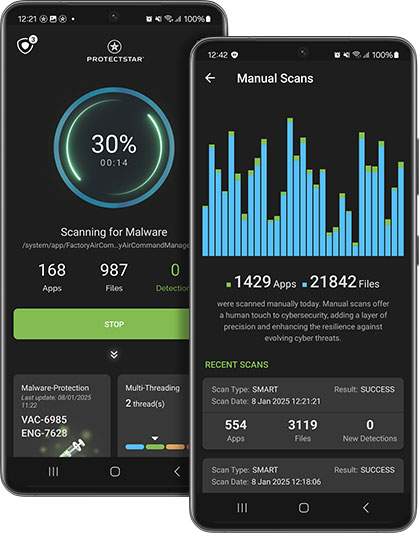
We don’t need to see your life to protect it.
No photos. No chats. No trackers. Only the minimum truly needed for protection — local, precise, and fully under your control.
Local first
Every scan starts on your Android device. File contents, photos, and chats never leave your device.
Cloud only when needed
Only checksums and technical metadata for threat analysis — never file contents, photos, or chats.
What we never do
- Upload file contents, photos, or chats to the cloud
- Use advertising IDs or tracking pixels
- Create advertising profiles based on your usage
- Sell your data or share it with third parties
For cloud analysis, only package names, checksums, and technical detection metadata are processed — no file contents, photos, or chats.
Protectstar stays tracker-free.
No advertising IDs. No sharing with third parties. We don’t collect unnecessary data — and that is independently verifiable.







Source: exodus-privacy.eu.org · Tracker analysis of the respective Android apps · As of May 2026
Trackers include advertising trackers, analytics, and crash reporting. 0 trackers = no tracking libraries in the app code.
The best security is the kind you forget is there.
Tested when it matters.
Independent tests. Clear results. No self-issued claims.


DEKRA MASA L1
App security assessment based on OWASP MASVS Level 1.

AI Excellence 2025
Software — Small category.

BIG Innovation 2025
Recognized for AI innovation.

We Love Tech Award 2026
Recognized for privacy-first,
AI-powered protection.
Antivirus AI addresses the core challenges of mobile cybersecurity by defending against even sophisticated threats in real time while preserving user privacy.
Expert jury · AI Excellence Awards 2025
What users really say.
For parents, travelers, and anyone who keeps work, photos, and private life on the same Android device.
Five years. Three Protectstar apps. Not one threat has slipped through — exactly how security should feel.
Very strong detection rate — even where one of the ‘market-leading’ AV apps stayed silent. No performance or battery drawbacks.
Top antivirus program with many extras. The Pro version is very good — and for experts, the excellent GOV version is highly recommended.
Protection should never be a luxury.
Start free. Upgrade only when you want more. No credit card. No expiration date.
For anyone who wants to try it first — with zero risk.
- Manual AI Scan (Dual Engine)
- Detection of 130M+ threats
- Anti-ransomware protection
- Deep Detective™ (camera & microphone)
- Quarantine & restore
For everyday protection that keeps running — even when you don’t think about it.
- Everything in FREE —
- Real-time protection in the background
- APT defense (ransomware, BankBots & more)
- Scheduled scans on your time
- Priority security updates
- Automatic real-time protection rules
For power users, journalists, and sensitive use cases.
- Everything in PRO —
- Experimental protection rules (beta)
- Advanced privacy policies
- For government users & power users
- Priority support
You renew when you choose — not because we make it easy to forget. No risk, no stress.
More options in the shop — multi-device & Lifetime ↗
Still not sure? Compare all features in detail
What you want to know.
Clear answers. No marketing fluff.
Will Antivirus AI slow down my Android device?
No. Antivirus AI is optimized to run quietly in the background — and that performance is independently measured. In the AV-TEST January 2025 evaluation, the app achieved top scores in Protection (5.5/6), Performance (6/6), and Usability (6/6). In plain English: no noticeable impact while browsing, switching apps, or streaming. The dual-engine architecture is designed for modern Android hardware and uses CPU resources only when an actual scan is running.
How much battery does the app use?
Very little — by design, not by cutting features. Real-time scans are event-driven: when an app is installed, a file is downloaded, or suspicious behavior appears. No constant background scanning, no polling loops. Scheduled deep scans use Android’s JobScheduler and are prioritized by the system during charging or idle periods. The result: protection without noticeable battery impact, supported by Antivirus AI’s full AV-TEST performance score.
What permissions does the app request?
Only the technical minimum — and each permission is explained transparently:
- Storage access — to scan files and APKs.
- Accessibility Service (optional) — only if you enable real-time protection, so app installations can be evaluated immediately.
- Notifications — for threat alerts.
What Antivirus AI does not request: no location, no microphone access, no contacts, no SMS, no advertising IDs. If you see any of these permissions in another “antivirus” app, ask why.
Which Android version do I need?
Antivirus AI runs on Android 8.0 (Oreo) or later. The app is about 28 MB in size and uses very little memory during operation — typically under 80 MB of RAM. It is optimized for current Android versions and compatible with all major manufacturers, including Samsung, Google Pixel, Xiaomi, OnePlus, Huawei, Sony, and Motorola.
How is Antivirus AI different from Google Play Protect?
Google Play Protect is Android’s built-in baseline protection — useful for Play Store apps and primarily cloud-based. Antivirus AI adds a specialized security layer: it also checks sideloads, APKs from third-party sources, downloads from browsers and messengers — not just Play Store apps. The adaptive AI engine, developed since 2016, detects disguised and emerging threats by evaluating behavior, not only known signatures. Both layers complement each other, so you can keep Play Protect enabled. You can find the full comparison in the table above.
How many devices can I use with one license?
A PRO or GOV license is valid for one device by default. You can transfer the license to a new device at any time in your MY.PROTECTSTAR account — for example, when switching phones.
For multiple devices, the Protectstar Shop offers multi-device bundles (3 / 5 / 10 devices) as well as Lifetime licenses. FREE is always free and can be used on as many devices as you like.
Where is my data processed?
On ISO 27001-certified servers in Germany. Processing is therefore governed by the GDPR and German data protection law — not U.S. law or other jurisdictions.
What is transmitted: package names, checksums (SHA-256/MD5), and technical detection metadata only. No file contents, photos, or chats. Transmission uses HTTPS and AES-256 encryption.
How long it is stored: seconds. After threat analysis, the data is permanently deleted — not cached, not aggregated, and not sold. Details are available in our Privacy Policy.
What if the app reports a false positive?
Antivirus AI recorded 0 false positives in the usability categories tested by AV-TEST in January 2025. Still, no security system can rule out false positives entirely — modern heuristics assess probabilities, not absolute certainty.
If you question a detection, you have three options:
- Quarantine — isolate the app or file without deleting it. You decide later.
- Second opinion — submit the hash to an external service such as VirusTotal.
- Report a false positive — directly from the app. Our team reviews every report manually and retrains the engine where needed.
What should I do if something is detected?
Antivirus AI offers two actions — both require your confirmation, so nothing happens automatically:
- Remove — the file is deleted (or, for apps, you are guided to Android’s system uninstall flow, as required by Android’s security model).
- Quarantine (PRO & GOV) — the file is moved to a secure, isolated area and remains available for later analysis.
In the threat details, you always see: what was found, why it was rated as suspicious, and which engine detected it. Full transparency instead of black-box decisions.
More questions? Contact our support team
Anti Spy — the sister app against surveillance
What spies on you:
spyware is a different kind of threat.
Pegasus, FinSpy and similar surveillance trojans operate quietly and target privacy directly. Anti Spy protects where Antivirus AI is less specialized.

