 English
 Deutsch
 Español
 Français
 Italiano
 Português
 Русский
 العربية
 हिन्दी
 日本語
 简体中文


 Android
 iOS
 Mac
 Windows


Secure Data Erasure With a Verification Report
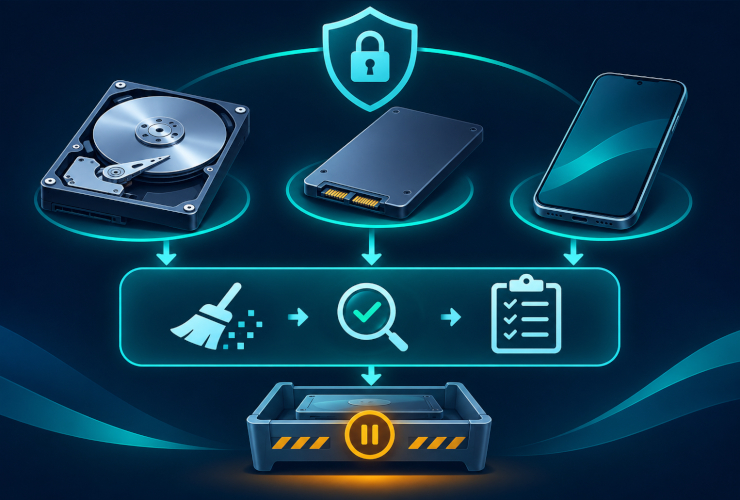
A verification report should tell a second person what was erased, how the operation was checked, and which evidence supports the release decision. For a drive, phone, or server leaving your control, identify the storage that held the data, choose a method your policy accepts for that device, and record the evidence before you hand it over. A report can say an operation completed successfully while the release decision is still on hold. NIST SP 800-88 Rev. 2
For a personal trade-in, follow your device maker's handoff instructions and check the trade-in provider's requirements. For IT assets leaving your organization's control, use the steps below to match the device to its evidence and document who approved the release.
On this page
- Identify the device and scope
- Choose an erasure method by media type
- Verify and validate the outcome
- Record the evidence
- Copy an erasure record template
- Compare a pass with a hold
- Check guidance by market
- See where iShredder fits
1. Identify the device and the data in scope
Start with the asset ID and the serial number of each physical storage device in scope. A laptop can contain more than one drive, and a server can expose one logical volume backed by several physical drives. For phones, check whether a removable card, eSIM profile, or managed work profile needs separate handling. Record what the operation covers and who owns the remaining tasks. NIST guidance, sections 2.3 and 4 and Appendix B
Check authorization and retention requirements before erasing. Confirm that required records and approved backups are recoverable. List synced copies, snapshots, replicas, and external drives that need a separate decision. Then confirm where the equipment will go. Reusing it inside your organization and transferring it to a buyer can call for different controls. NIST guidance, sections 4.3–4.4
2. Choose a method the device can support
NIST’s current guidance distinguishes three sanitization methods. Clear protects against simple recovery through the device’s ordinary interfaces. Purge aims to make recovery infeasible even with modern laboratory techniques and may preserve the medium for reuse. Destroy also aims to make recovery infeasible at that level and leaves the medium unusable for storage. Select the required level under your policy, then choose a technique appropriate to the exact model and its condition. Rev. 2 generally points to current media-specific standards such as IEEE 2883 for implementation details and treats cryptographic erase in depth. NIST SP 800-88 Rev. 2, sections 3.1–3.2
Choose an erasure approach and evidence for the storage in scope
| Device or scope | What to evaluate | What to record |
|---|---|---|
| Magnetic hard disk drive (HDD) | For an approved Clear workflow, an overwrite across the required user-addressable range can be appropriate. Apply a separately approved technique if policy requires Purge or Destroy. | Physical drive identity, addressed range, completion status, any checks and any faults or known inaccessible areas. |
| SATA or NVMe solid-state drive (SSD) | Consult the drive manufacturer’s documentation for the precise model and firmware. Evaluate a supported controller-level sanitize technique when required. Confirm that the controller, driver, or enclosure passes through the command and its result. | Model, firmware, connection, actual technique used, device-reported completion and coverage limits. |
| USB flash drive or memory card | Check which operations the device actually supports and what can be verified. Apply your organization’s approved disposition when the available technique fails to meet policy or documented coverage is insufficient. | Device identity, supported method, limitations, and the decision to reuse, hold, or destroy. |
| Android phone or tablet | For individual resale or trade-in, follow the manufacturer’s reset and account-removal steps. Handle removable storage and eSIM transfer or removal separately. For a fleet, distinguish a managed work-profile wipe from a full device wipe. | Device and OS, reset or management action, completion evidence, lock status at handoff, and separate media or accounts. |
| iPhone, iPad, or eligible Mac | Follow Apple’s Erase All Content and Settings or the official procedure for the model. Apple documents that a supported device erase removes keys needed to access user data. Address other drives, backups, and account or management locks as applicable. | Model, OS, procedure, completion evidence, and any storage or accounts handled separately. |
| Windows consumer reset, files, free space, or one volume | Use the workflow for the scope you intend. Reset this PC with Remove everything and Clean data is Microsoft’s consumer option. Microsoft says it falls outside government and industry erasure standards. A targeted erasure covers the selected scope. | The exact scope and checks. Record snapshots, other volumes, and synced copies under their own disposition. |
| Server, RAID array, or failed media | Reconcile logical volumes with physical members, including spares as applicable. Confirm command coverage and evidence per required item. Retain custody of failed or unverified items pending an approved rerun or disposition. | Member inventory, controller context, completion per required item, exceptions, and custody through final disposition. |
NIST device and media guidance · Android reset instructions · Android device protection · Apple iPhone and iPad handoff · Apple Mac handoff · Apple device erase and encryption · Microsoft Reset your PC
What matters more than the number of overwrite passes?
Coverage comes first. NIST's July 2026 FAQ explains that a single pass is typical when a logical overwrite is suitable for Clear. NIST favors sanitizing the entire medium where practical because data and copies can extend beyond a selected file or partition. Base the method on the required scope and the protection level for the asset's next use. NIST media sanitization FAQ, questions 5 and 6
On flash storage, the controller decides which physical cells hold a logical block. Wear leveling, spare capacity, and remapped blocks can put earlier data outside the host’s reach. More host overwrite passes leave those controller-managed areas outside the host’s reach. A cryptographic erase can be appropriate when the target data was protected by qualifying encryption throughout its life on the medium and the necessary keys can be reliably sanitized. Check for prior plaintext and recoverable copies of the keys, including escrow or backups where relevant. NIST guidance, sections 3.1.1–3.2 and Appendix B
3. Verify the result and decide whether to release the asset
Verification is the technical check. Did the intended operation complete on the identified storage? Review the reported result, errors, anomalies, and device health. Record a device or tool completion result and any method-specific checks required by your procedure. When you use readback, record the range and check performed. NIST generally does not require elaborate post-erasure sampling after Clear or Purge unless organizational policy calls for it. NIST guidance, section 4.5.1
Validation is the decision about whether the result meets the required protection level. Compare the verified scope, device identity, and destination with the approved procedure. A free-space pass supports a conclusion about the free space it checked. A release that requires whole-device sanitization needs evidence for everything in that scope. Hold the asset if a required drive is missing from the evidence, the serial number cannot be matched, or completion remains unresolved. Record the exception and assign someone to resolve it. NIST guidance, sections 4.5.2–4.7
What counts as evidence of a remote wipe?
Record the strongest event your management system can demonstrate. A console can show that a command was sent, received, or completed. Check what the displayed status means for your platform. Microsoft documents that an Intune action can remain pending if a device goes offline or if it fails to send back a status update during a reset. In Google's Android Management API, a wipe can remove just the work profile on a personally owned device. For a release decision, record the scope and keep the result open until you have the completion evidence your policy accepts. Apple deployment guidance · Microsoft Intune status guidance · Google Android device management guidance
4. Keep enough evidence for another person to review
- Identify the asset. Capture the asset ID, manufacturer, model, serial number, type and capacity. Include firmware, OS, controller, or management context when it affects the result.
- Explain the scope and policy. Name the destination, what was in scope, which method was selected, and which areas or copies require separate treatment.
- Preserve execution evidence. Record the exact tool and version or device command, operator or system identity, start and end timestamps with time zone, and the completion status.
- Record verification and exceptions. Attach or reference the verification log. Explain what was checked, any coverage limits, and each warning or incomplete item.
- Record the decision and disposition. Keep the reviewer’s identity, approval or hold, date, release conditions, and custody records where policy requires them.
When you receive a report with a SHA-256 hash, compare the hash you calculate from the original file with the value in a trusted record. For a digitally signed report, verify the signature against the expected signer. These checks address the integrity or origin of the report. The operator's records and device results still have to establish what happened to the storage. If you need to share a redacted copy, label it as such, keep the original, and use an internal evidence ID to link the two. Editing a signed PDF can invalidate its signature. NIST digital signature standard · NIST documentation guidance and Appendix C
Copy a blank erasure record
Record each storage medium separately and link it to the parent asset when there are multiple drives. Before release, match each in-scope serial number to its evidence. Add any fields required by your policy. The completed record can accompany your approved certificate or asset inventory. NIST documentation guidance, section 4.6
Case ID · parent asset ID Media manufacturer · model · serial · type · capacity Firmware or OS · connection or controller Intended disposition · required protection level Exact target scope · separate copies · exceptions Method and technique · tool and version Operator · start and finish with time zone Completion result · checks performed · evidence record ID Trusted hash reference or signature result, if used Validation decision · authorized reviewer · date Release or hold · conditions · exception owner Final destination or recipient · custody reference
Two example outcomes from the same release checklist
Both records are illustrative. Asset IDs, operations, and decisions are fictional and do not represent Protectstar test results or a customer audit.
Example verification and disposition records
| Field | PASS for internal reuse | HOLD before external handoff |
|---|---|---|
| Asset and intended use | LAB-014, 1 TB magnetic HDD, internal redeployment | LAB-021, server with a storage array, return to leasing provider |
| Method and scope | Policy-approved overwrite of the drive’s user-addressable range | Separate sanitization of the required physical members under the organization’s return policy |
| Evidence reviewed | Drive identity matches the record. Tool reports completion and the required readback check passes over the documented range. | The system reports that a logical volume was erased. The evidence omits a spare drive listed in the asset record. |
| Validation and next action | Approver accepts the Clear scope for this internal use and retains the evidence with the asset record. | Keep the equipment in custody. Find and sanitize the spare under policy or obtain an approved alternative disposition before release. |
Media sanitization references by market
- United States. NIST SP 800-88 Rev. 2 supersedes Rev. 1 and covers media sanitization programs, assurance, and documentation. NIST publication
- Canada. ITSP.40.006 covers institutional IT media sanitization, including verification and chain of custody. The Cyber Centre also offers a practical device disposal guide. Canadian Centre for Cyber Security ITSP.40.006 · Device disposal guide
- United Kingdom. The NCSC’s reuse and disposal guidance addresses an OFFICIAL-level threat model and directs teams handling SECRET or above to their NCSC point of contact. NCSC secure sanitisation and disposal guidance
- Australia. The ASD Information Security Manual publishes media-specific controls, including classification-dependent requirements. Use the controls applicable to the asset and your organization. ASD Guidelines for media
When can a report serve as a certificate of sanitization?
Your organization can use its completed record as a certificate of sanitization when the record contains the evidence and approvals its policy requires. A software report can supply execution and verification details. Add the validation decision, the device’s final destination, and any required custody record. NIST provides a sample form in Appendix C. NIST SP 800-88 Rev. 2, section 4.6 and Appendix C
Where iShredder fits
On supported editions and storage scopes, iShredder can document the erasure method, time, and verification result. In Protectstar’s Advanced Secure Deletion Algorithm (ASDA), one step reads back the written pattern and documents deviations in the report. That check applies to the addressed storage in the operation. For flash media or a higher-assurance workflow, evaluate the device-specific technique and coverage your policy requires. How ASDA verifies writes · iShredder edition and report overview
For iPhone and iPad fleets, Protectstar’s Business and Enterprise pages describe a signed per-device report for their supported USB workflows. The Windows Server page lists report fields such as device ID, method, timestamp and operator. The bootable Technical edition describes the addressable scope and advises checking the manufacturer’s controller-level options for newer SSDs. Confirm the supported model, edition, method and report format before you adopt a workflow. iShredder Business and Enterprise · iShredder Windows Server · iShredder Technical
 Go back