 English
 Deutsch
 Español
 Français
 Italiano
 Português
 Русский
 العربية
 हिन्दी
 日本語
日本語 简体中文
简体中文

 Android
 iOS
iOS Mac
Mac Windows


How Long Your SSD Really Lasts: Everything About Write Cycles, TBW, Write Amplification, and Staying Safe with iShredder
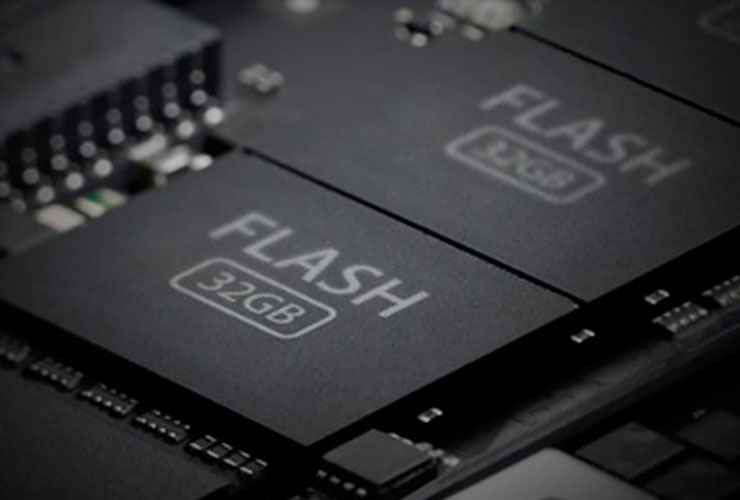
Have you ever wondered how many times you can overwrite your SSD before it finally gives out? Don’t worry—you’re not alone. Many users are confronted with seemingly contradictory numbers: on one hand, modern SSDs can endure thousands (or even hundreds of thousands) of write cycles. On the other, you’ll see manufacturer specs listing “only” 60 to 150 terabytes (TBW—Terabytes Written) for a 250 GB SSD.
In this blog post, we’ll clear up the confusion and explain how SSDs really work—and why occasional secure erasure with iShredder, for example using the 4-Round Protectstar ASDA method, does minimal harm to your SSD. You’ll also learn more about the DEKRA MASA L1 certification for iShredder Android and why iShredder has established itself as a top-level data erasure solution.
SSD Basics: Write Cycles and Lifespan
An SSD’s (Solid State Drive) lifespan is primarily determined by the write cycles its flash memory can handle. Modern SSDs are typically rated for 3,000 to 100,000 write cycles per memory cell.
In practice, these values vary significantly, depending on flash type, quality, controller, usage patterns, and configuration.
To maximize SSD longevity, manufacturers use wear-leveling algorithms: these spread out write operations evenly across all cells so that certain areas don’t wear out prematurely. You can also monitor your SSD’s health using a S.M.A.R.T. analysis tool, which gives you early warning if your drive is nearing the end of its useful life.
TBW: Why “Only” 60–150 Terabytes for a 250 GB SSD?
You might be asking yourself: “If a 250 GB SSD can supposedly withstand tens of thousands of write cycles per cell, why is the TBW rating often only 60 to 150 TB?”
Here’s the explanation:
- Write Amplification Factor (WAF)
During each write operation, additional data is written in the background—thanks to processes like wear leveling and garbage collection. That means more write operations happen internally than what you, as the user, actually request. - Over-Provisioning
Many SSDs include more physical storage than their nominal capacity suggests. This extra buffer helps distribute wear more efficiently and compensate for potential cell damage. - Conservative Manufacturer Ratings
TBW values often reflect a guarantee threshold, within which the SSD is expected to function reliably. In reality, drives can often exceed these numbers without issues. - In other words, the TBW number isn’t a straightforward multiplier of “capacity × number of P/E cycles.” Instead, SSD manufacturers take all factors (WAF, over-provisioning, warranty reserves, etc.) into account and provide a conservative but practical guideline.
About TBW Calculations and Write Amplification
Some users notice an apparent contradiction when a 250 GB SSD is rated at only 125 TBW, even though the datasheet might claim that the flash cells can handle, say, 3,000 or more write cycles.
This happens because TBW (Terabytes Written) is not simply (capacity) × (number of P/E cycles). Manufacturers factor in the Write Amplification Factor (WAF) and other elements like over-provisioning. As a result, the drive writes more data internally than you, as the user, are actually storing.
Hence, an SSD may theoretically endure a high number of write cycles per cell, but due to these internal processes, you’ll see a lower TBW value as the “official” limit. In reality, this number serves more as a guarantee rating than an exact tally of possible overwrites.
In practice, many SSDs easily surpass their stated TBW specs. If you want extra peace of mind, look for higher TBW values and avoid unnecessary write-intensive activities.
Is Secure Erasure with iShredder Worth It?
If you occasionally want to securely erase all data—say, to completely remove sensitive information or declutter your system—you might wonder if it damages your SSD.
The short answer: No worries! Occasional secure erasures with iShredder pose no real problem for most SSDs.
The impact on lifespan is extremely minimal, as long as you’re not running secure erasure around the clock over extended periods.
Why iShredder?
- Top-Tier Security Standards
iShredder uses proven data sanitization methods, including NIST SP 800-88, DoD 5220.22-M / ECE, NATO Standard, BSI-2011-VS, BSI TL-03423, and the 4-Round Protectstar ASDA Algorithm, among others. These methods overwrite your data so thoroughly that not even forensic tools can recover it. - DEKRA MASA L1 Certification
iShredder Android has officially earned DEKRA MASA L1 certification. This means a neutral, independent testing agency has examined iShredder’s erasure process—and deemed it secure. - Easy to Use
With a single click or tap, you can securely erase old files, entire drives, or even your system partition—fully compliant with data protection regulations. - Versatile Applications
iShredder is available across multiple platforms—whether you’re on a Windows PC, Mac, Android smartphone, or iPhone.
Tips for Preserving Your SSD
- Avoid Unnecessary Write Loads: Large downloads, frequent rendering, or intensive video editing caching will shorten your SSD’s lifespan. Distribute these tasks to other drives if possible.
- Enable TRIM: Make sure your operating system supports TRIM for your SSD. TRIM improves garbage collection management and extends drive longevity.
- Watch Your TBW: If you anticipate very high write volumes, choose an SSD with a higher TBW rating. For example, the newly released Samsung 9100 PRO series comes with TBW ratings of 600–4,800 TBW, depending on capacity.
- Use iShredder Wisely: Secure erasure methods are safe as long as you don’t overuse them. For regular data sanitization, iShredder is an ideal choice.
- Back Up Your Data: Regardless of SSD lifespan, make regular backups to protect yourself from any potential data loss.
Conclusion
Your SSD often lasts much longer than its TBW rating might suggest—because technical factors like write amplification, over-provisioning, and conservative warranty policies all play a part behind the scenes. In most cases, you can keep working without worrying that your SSD will suddenly fail.
Still, if you value absolute data security—whether for your business, government agency, or personal privacy—iShredder is your reliable ally. Thanks to internationally recognized erasure standards and the DEKRA MASA L1 certification for iShredder Android, you can securely eliminate sensitive data with total peace of mind. And all this without measurably harming your SSD.
 Go back